
|
No. |
Item |
Description |
|---|---|---|
|
1 |
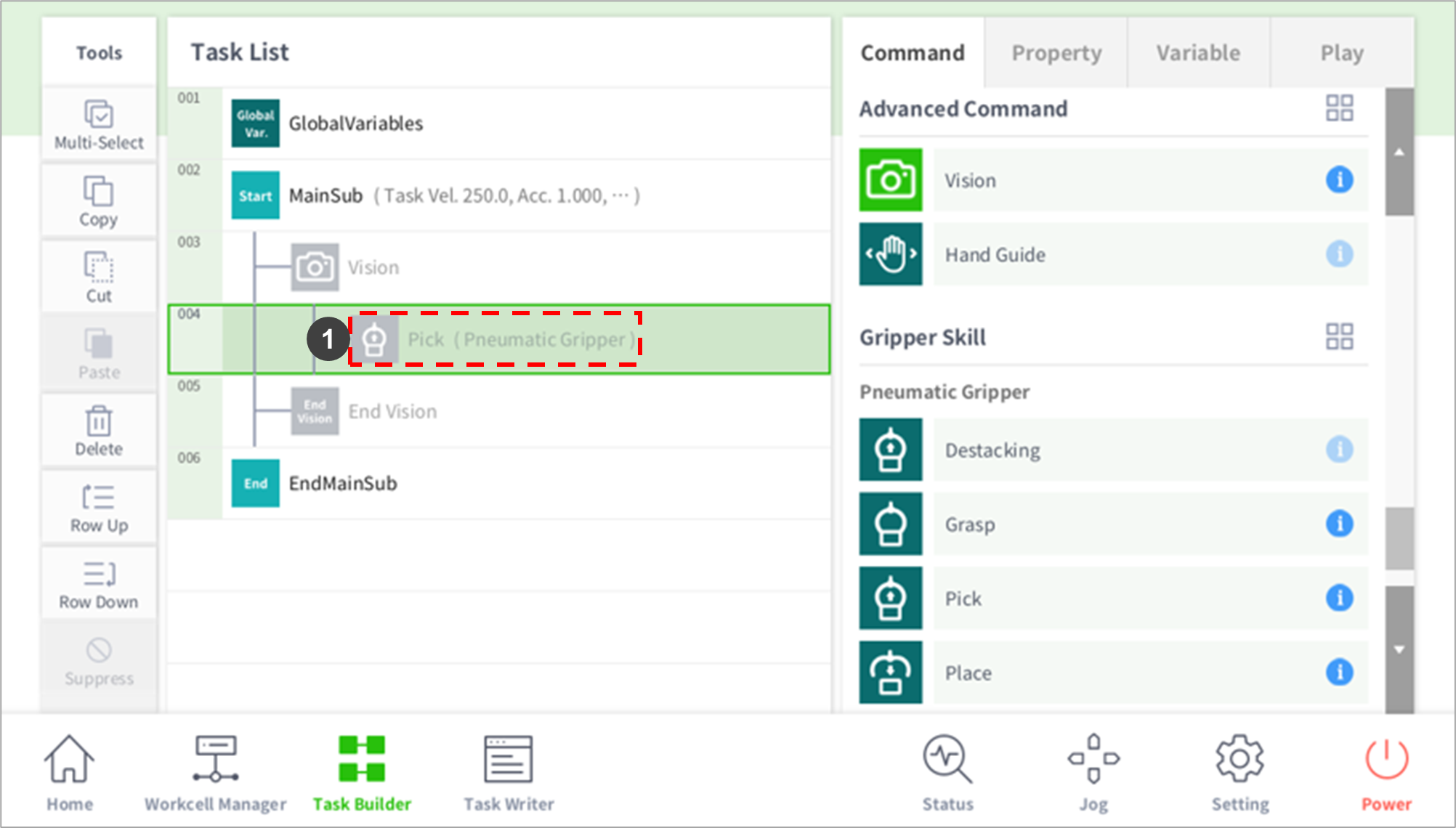
Add Skill Command after Vision Shoot and before Teaching Position Entry |
Caution: To use Vision Position Offset, it is necessary to perform calibration in the Workcell Manager. Without calibration, the robot cannot be moved to a desired position. |
|
2 |
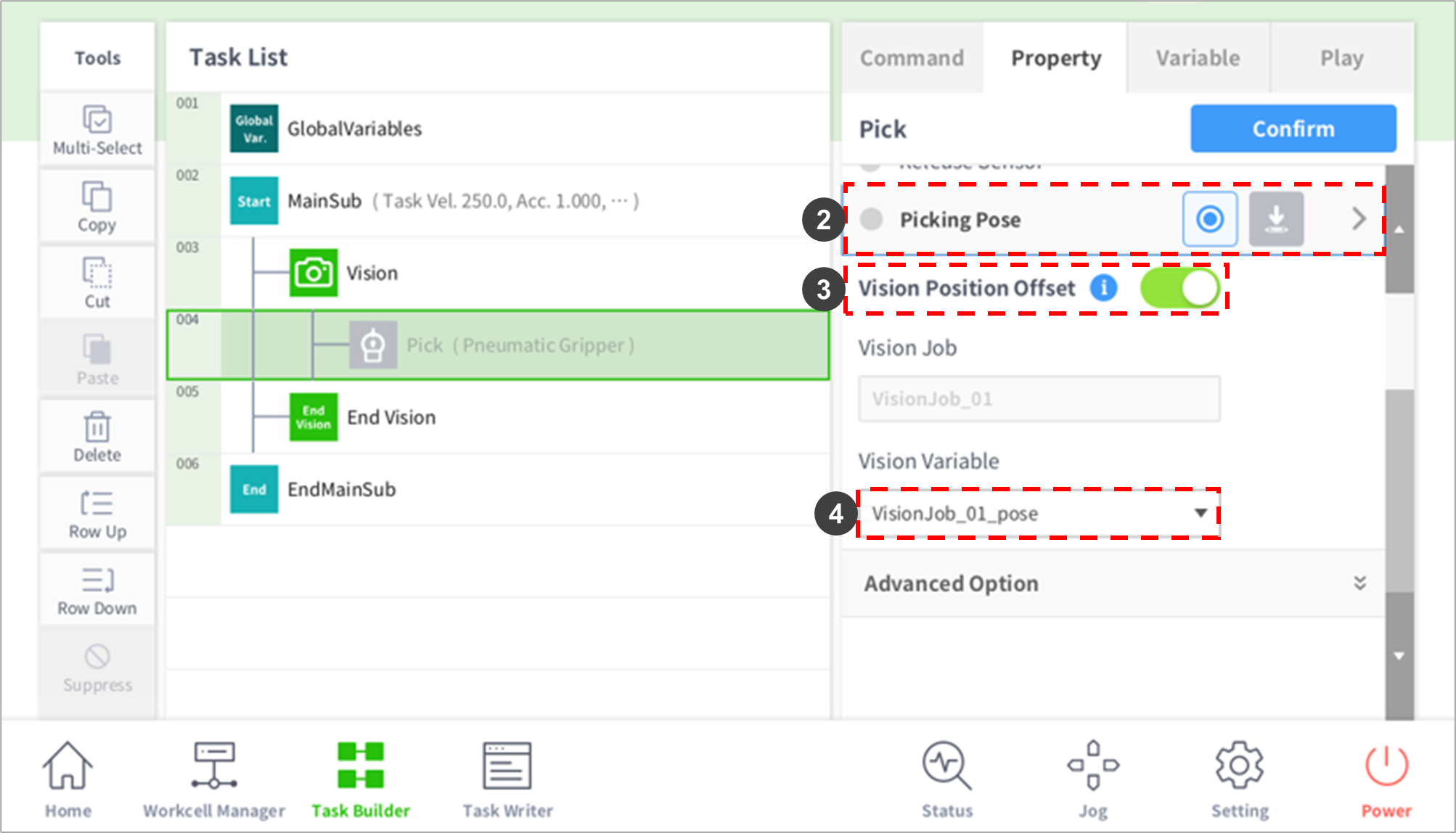
Picking Pose |
Acquires the pose after moving the pose to pick based on the Vision Pose using direct teaching. |
|
3 |
Vision Position Offset |
|
|
4 |
Vision Variable |
Select a pose to match the Vision and robot coordinates. |