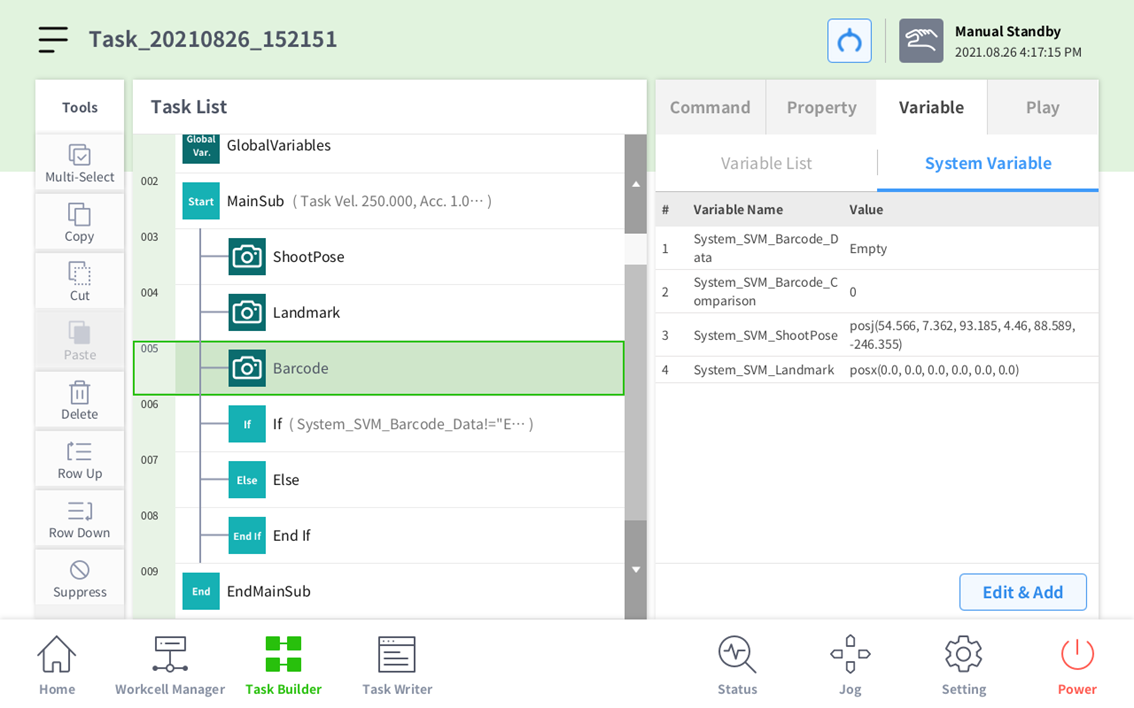
In order to utilize the Vision Skill, the system parameters including System_SVM_ShootPose, System_SVM_Landmark, System_SVM_Barcode_Data, and System_SVM_Barcode_Comparison must be utilized.
-
System_SVM_ShootPose cannot be used without calibration.
-
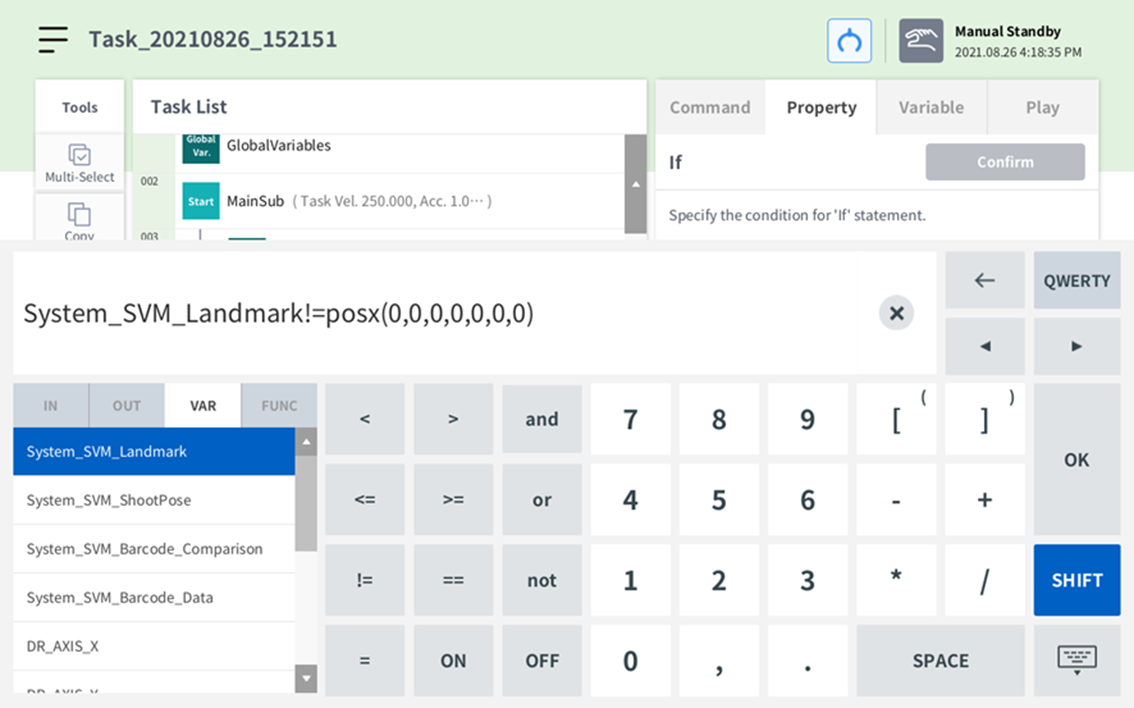
System_SVM_Landmark will be output as posx(0,0,0,0,0,0) if no detection occurs.
-
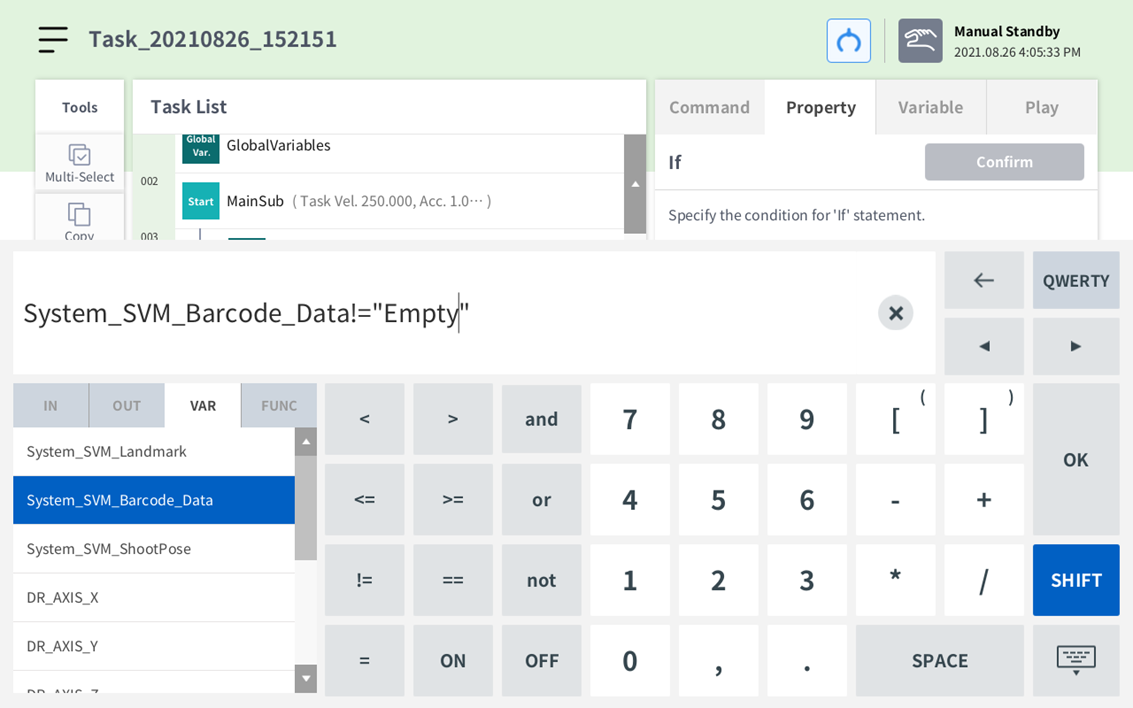
System_SVM_Barcode_Data will be output as Empty if no detection occurs.
-
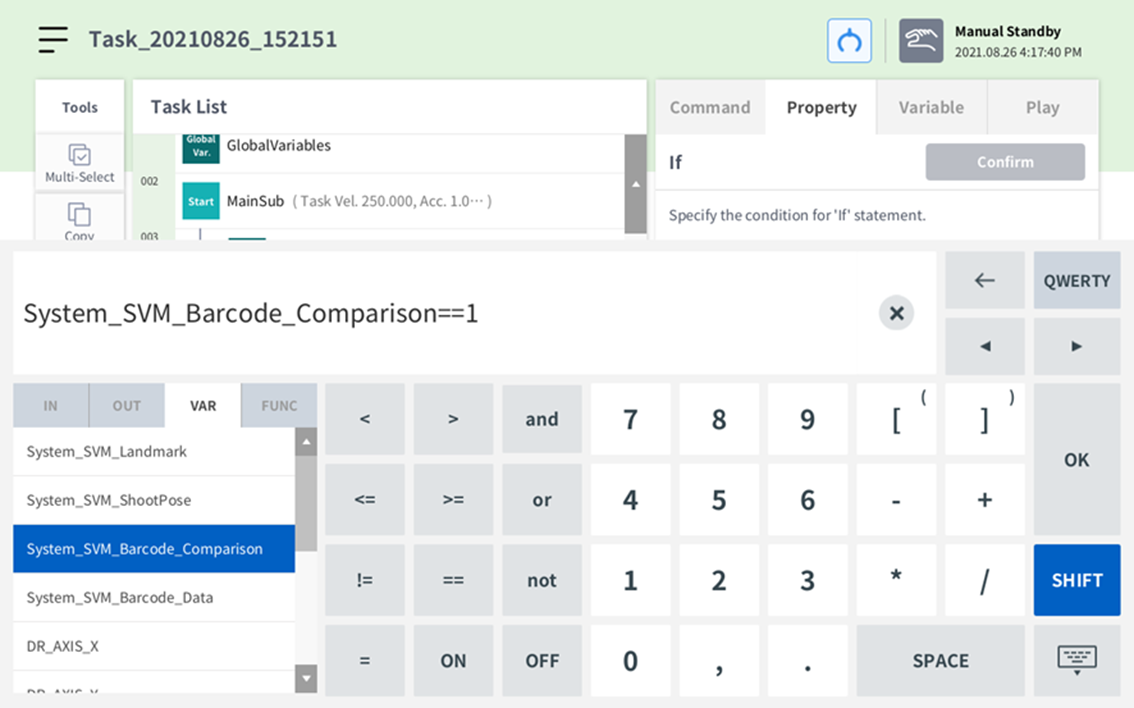
System_SVM_Barcode_Comparison will be output at 0 if no values are saved in the SVM, or 1 otherwise.
-
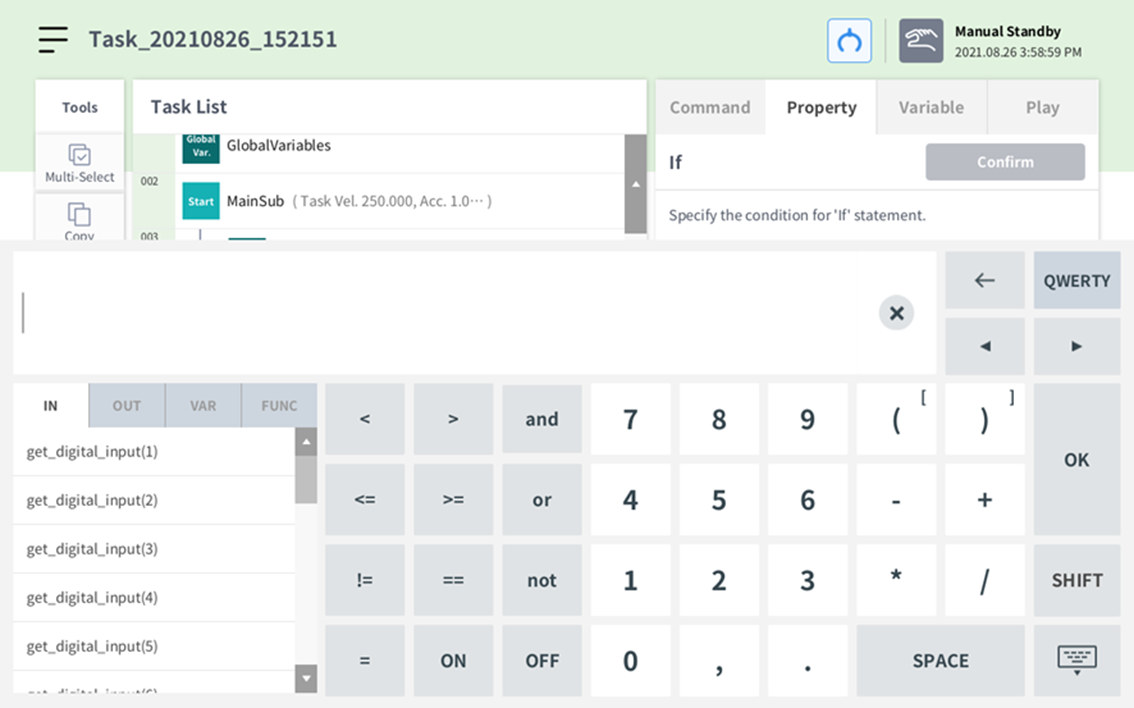
You can add an IF statement under Command and system parameters in VAR under Property.
-
In the case of System_SVM_Landmark, the output will be posx(0,0,0,0,0,0) if no detection occurs. This should be dealt with as shown below.
-
In the case of System_SVM_Barcode_Data, the output will be Empty if no detection occurs. This should be dealt with as shown below.
-
In the case of System_SVM_Barcode_Comprison, 1 will be output if there is data in the SVM. This should be dealt with as shown below.