
Manipulator
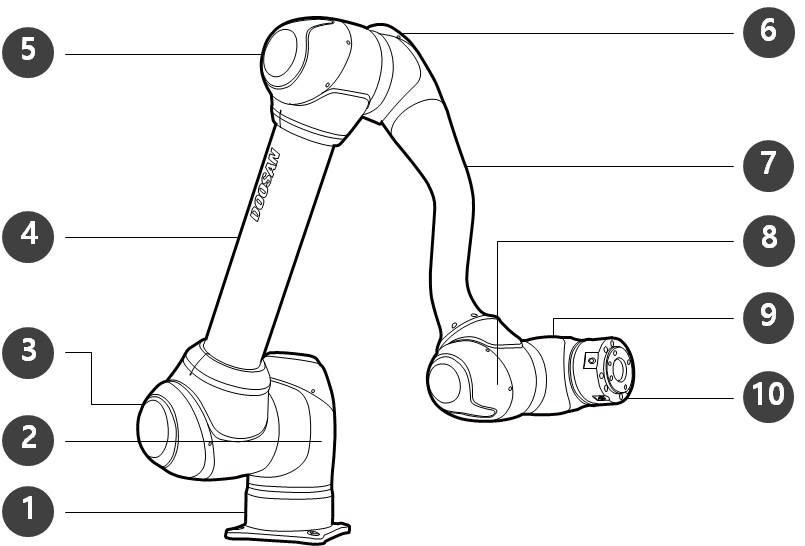
Names of Parts
|
No. |
Name |
No. |
Name |
|---|---|---|---|
|
1 |
Base |
6 |
J4 |
|
2 |
J1 |
7 |
Link2 |
|
3 |
J2 |
8 |
J5 |
|
4 |
Link1 |
9 |
J6 |
|
5 |
J3 |
10 |
Tool Flange |
Key Features
|
No. |
Item |
Description |
|---|---|---|
|
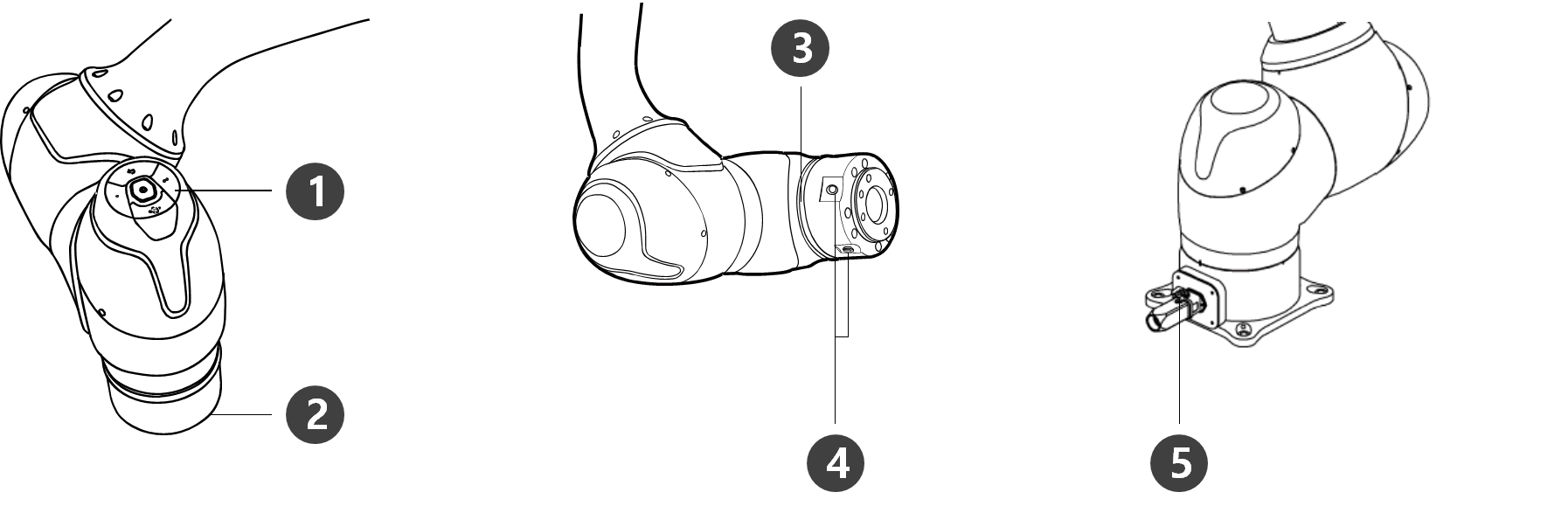
1 |
Cockpit |
[Option] Controller used for direct teaching and operation. |
|
2 |
Tool Flange |
Area to install tools. |
|
3 |
Flange LED |
Displays the robot state with different colors. For more information about robot state, refer to Status and Flange LED Color for Each Mode. Version : H Series For H-Series, an additional LED is installed on the 1 axis to indicate the same status and color. |
|
4 |
Flange I/O |
I/O port for tool control.
|
|
5 |
Connector |
Used for supplying power to and communication of the robot. |
Controller
|
No. |
Item |
Description |
|---|---|---|
|
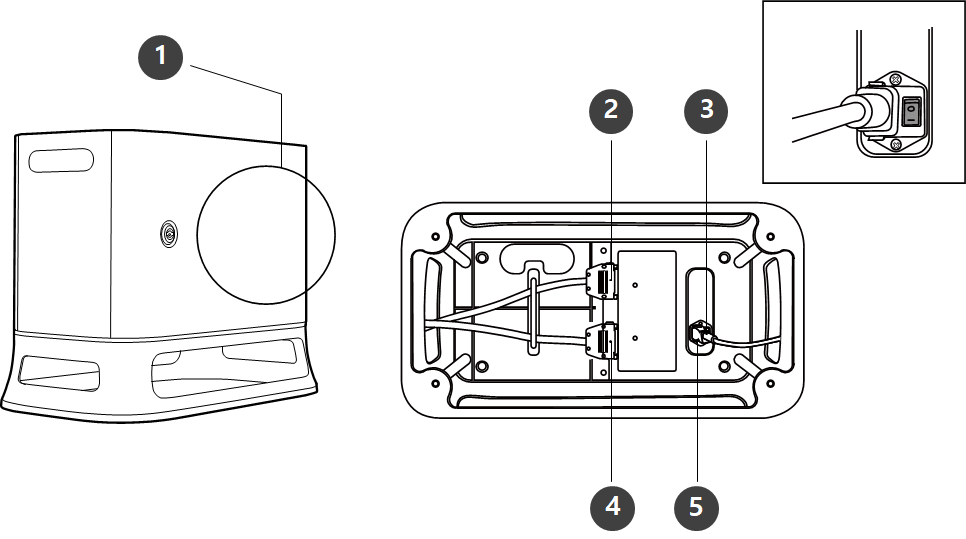
1 |
I/O connection terminal (internal) |
Used to connect the controller or peripherals. |
|
2 |
Teach pendant cable connection terminal |
Used to connect the teach pendant cable with the controller. |
|
3 |
Power switch |
Used to turn ON/OFF the main power of the controller. |
|
4 |
Manipulator cable connection terminal |
Used to connect the manipulator cable to the controller. |
|
5 |
Power connection terminal |
Used to connect the controller power supply. |
Note
If you selected an optional controller, check the instructions in the appendix to connect cables.
Teach pendant
A Series
Teach Pendant must be purchased separately as an optional product rather than as a basic component
|
No. |
Item |
Description |
|---|---|---|
|
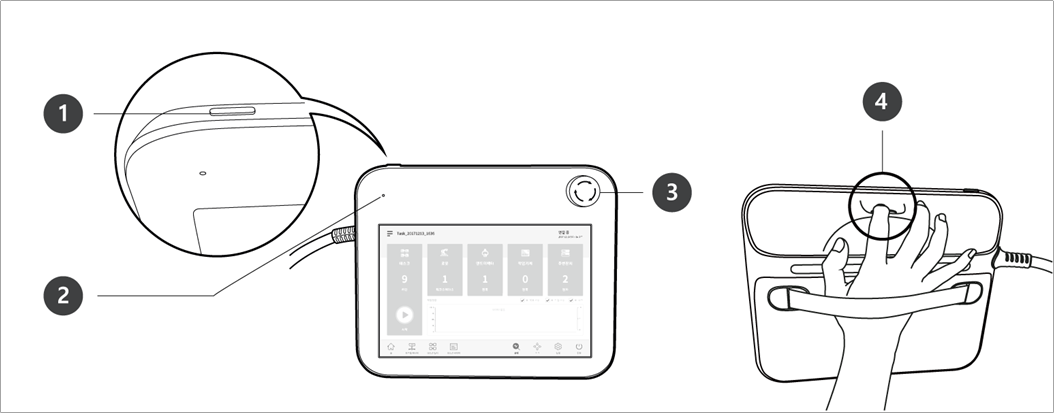
1 |
Power button |
Used to turn ON/OFF the main power of the teach pendant. For detailed product features, please refer to System Power On/Off. |
|
2 |
Power LED |
Turns ON when power is supplied. |
|
3 |
Emergency stop button |
Press the button to stop robot operation in case of an emergency. |
|
4 |
Hand guiding button |
Press and hold the button to move the robot freely into a desired pose. |
Note
If you need to protect and hold the Teach Pendant during work, you can use it more safely and easily with a soft cover supplied by Doosan Robotics.