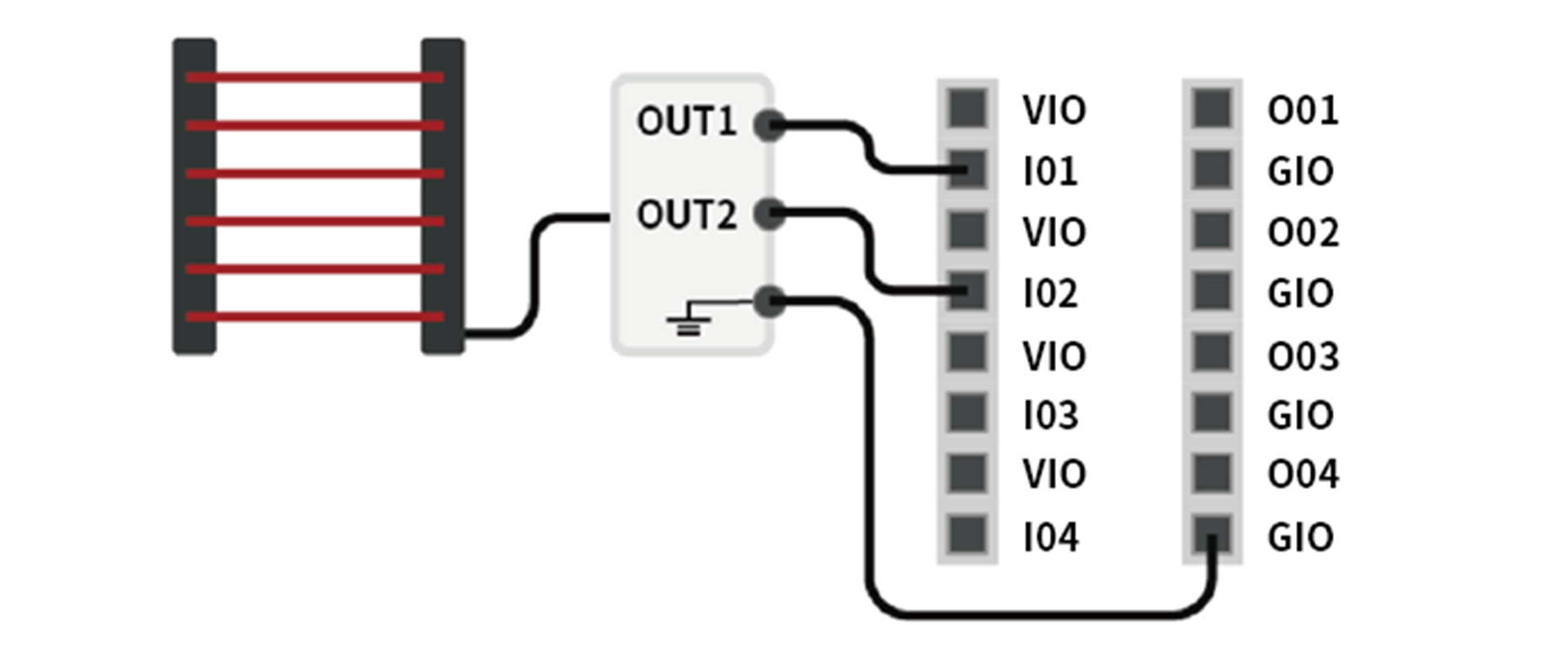
The digital I/O of the controller consists of 16 inputs and 16 outputs. They are used to connect peripherals required for robot control or are set as a dual safety I/O to be used as safety signal I/O purposes.
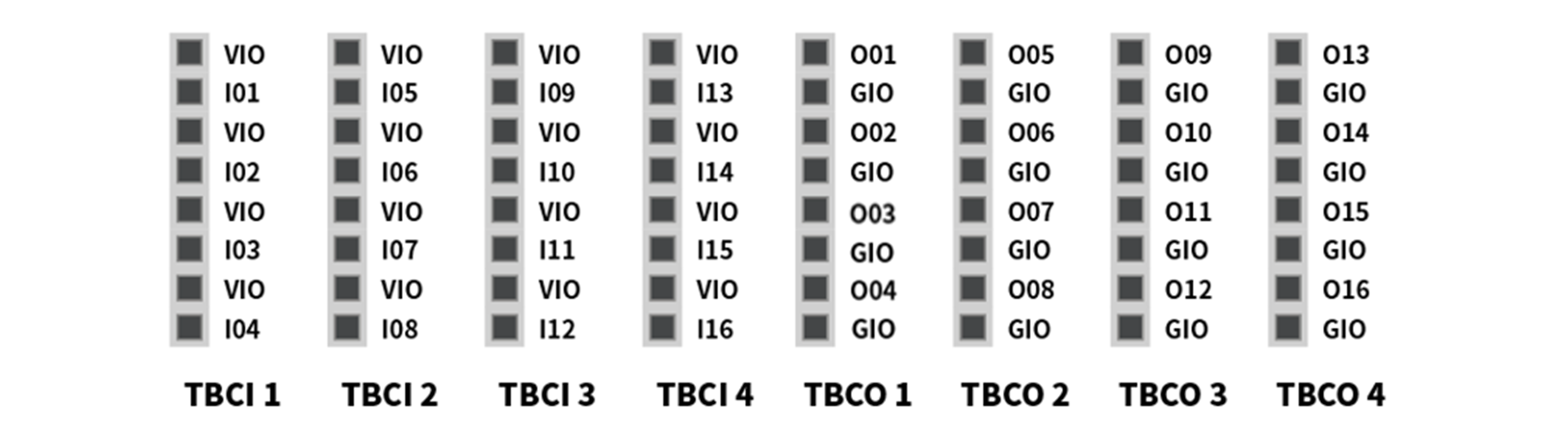
The electrical specifications of the configurable digital I/O are as follows:
|
Terminal |
Parameter |
Specification |
|
|---|---|---|---|
|
Digital Output |
[Oxx] |
Voltage |
0 - 24 V |
|
[Oxx] |
Current |
0 - 1 A |
|
|
[Oxx] |
Voltage Drop |
0 - 1 V |
|
|
[Oxx] |
Leakage Current |
0 - 0.1 mA |
|
|
Digital Input |
[Ixx] |
Voltage |
0 - 30 V |
|
[Ixx] |
OFF Range |
0 - 5 V |
|
|
[Ixx] |
ON Range |
11 - 30 V |
|
|
[Ixx] |
Current |
2 – 15 mA |
|
Caution
The VIO (IO 24V) and GIO (IO GND) terminals that can be used as power supplies for digital I/O are separated from the VCC (24V) and GND of other power supplies on the safety I/O circuit. Take caution as the diagnostic functions of the robot will detect errors if the internal power supply is connected as a digital I/O power supply through the Terminal Block for Digital I/O Power (TBPWR), or if 24V power is not supplied to the VIO and GIO terminals through an external power supply, the configurable digital I/O does not work, and shuts off operating power to the robot.
If the configurable digital I/O is used as a general digital I/O, various low current operations such as solenoid valves for voltage and signal exchanges with PLC systems or peripherals can be performed. The following explains how to use the configurable digital I/O:
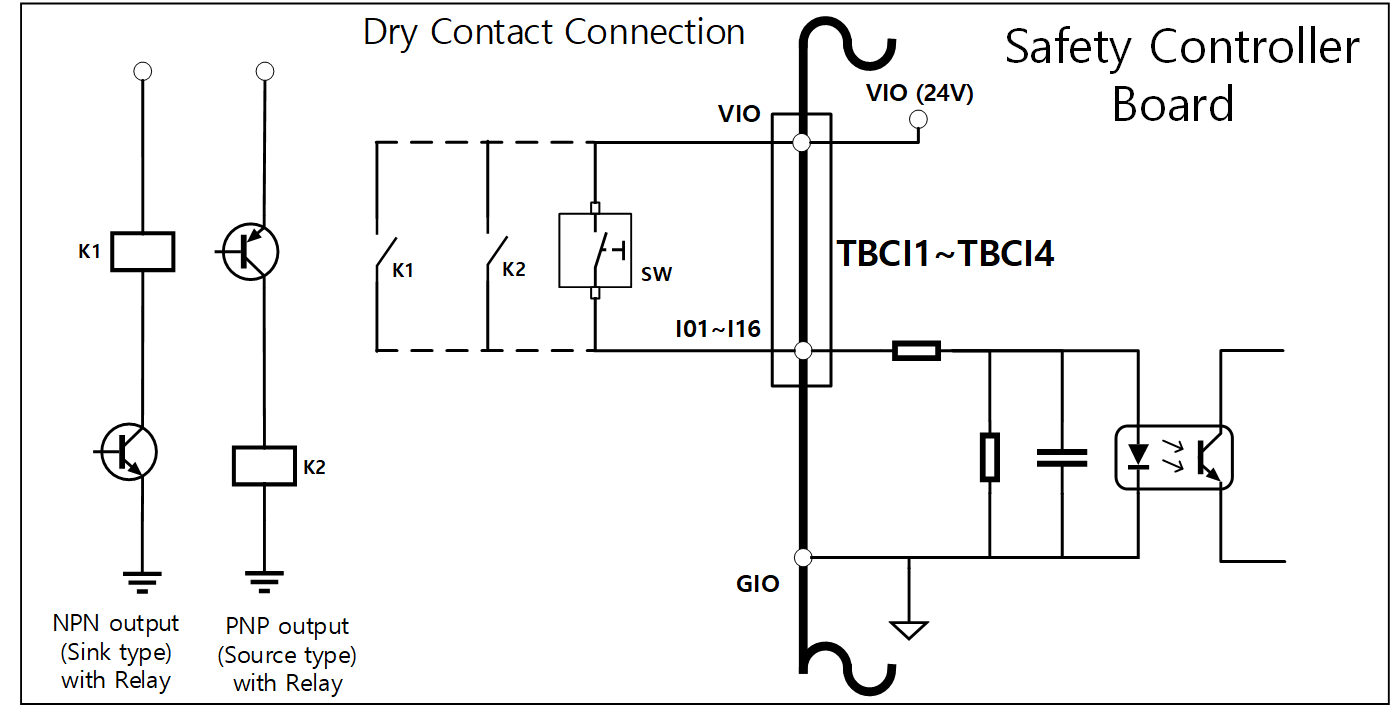
If dry contact input is received
This is a method of connecting a switch or contact between the VIO terminal of terminal blocks TBCI1-TBCI4 and Ixx terminals. The output of the external device only acts on the open/close of the contact through the relay, so it is electrically insulated from external devices.
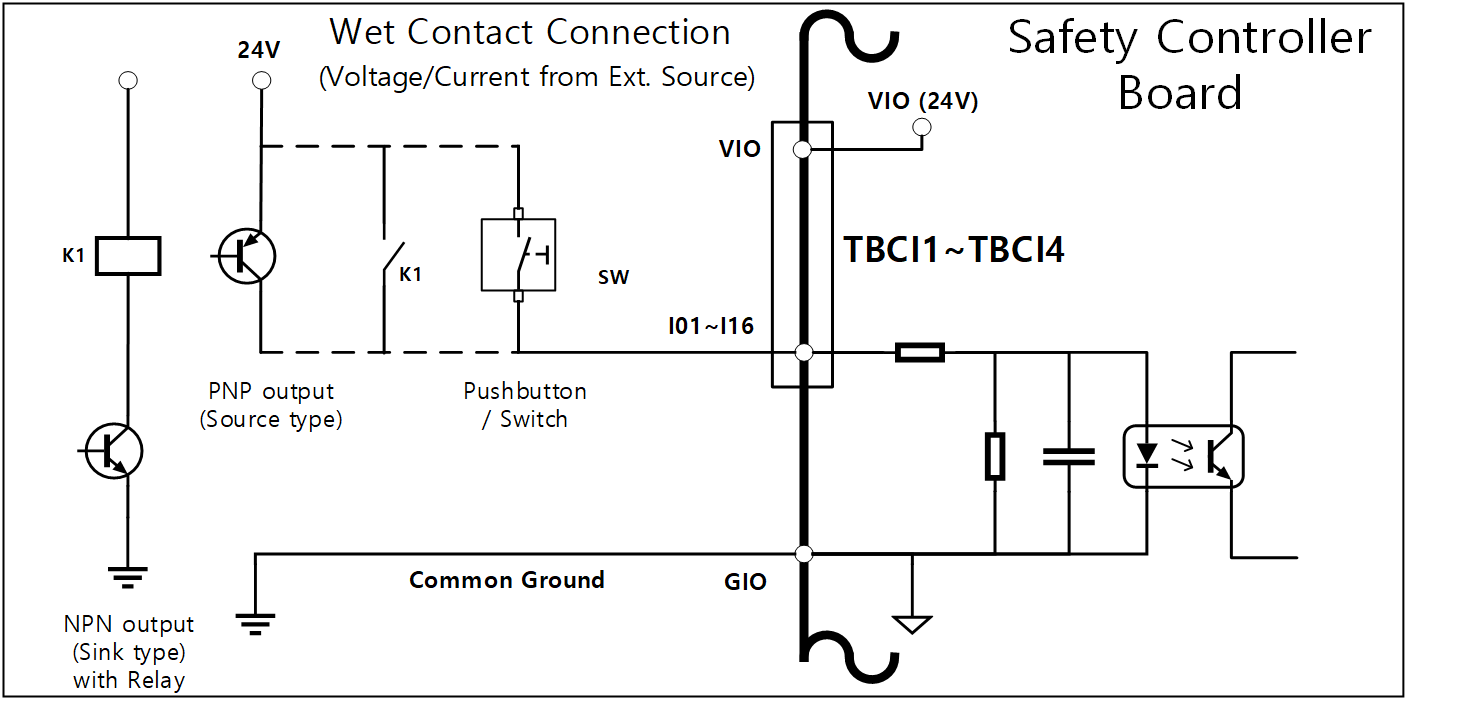
If wet contact input is received
It receives voltage type signals from external devices. If the output of the target device is a source type, it receives a voltage of 24V/0V as input. If the output of the target device is a sink type, a relay can be added to receive voltage 24V/0V as input. Since voltage input requires a reference, the external devices and the external power supply must be connected to a common ground.
If a simple load is operated
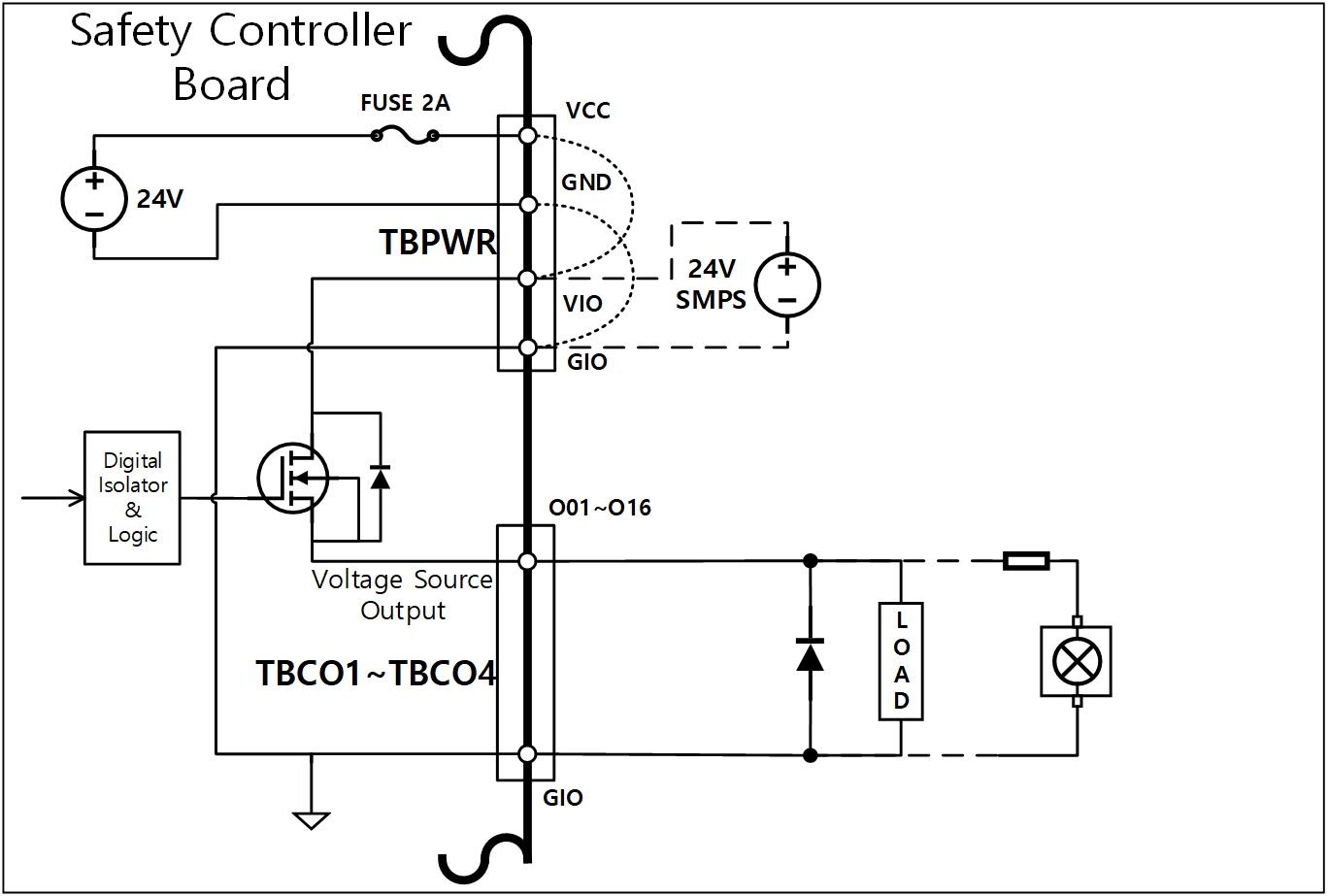
It is a method of connecting loads between the Oxx terminals of TBCO1-TBCO4 terminal blocks and the GIO terminal.
Each terminal is capable of outputting a maximum of 1A, but the overall current may be limited according to the calorific value and load.
If digital I/O power (VIO/GIO) is supplied through the internal power supply as in the factory default setting, up to 2A of VIO current can be used. If a total current greater than 2A is required, remove the connection between the digital I/O power supply (VIO/GIO) of the Terminal Block for Digital I/O Power (TBPWR) and the internal power supply (VCC/GND), and an external power supply must be connected.
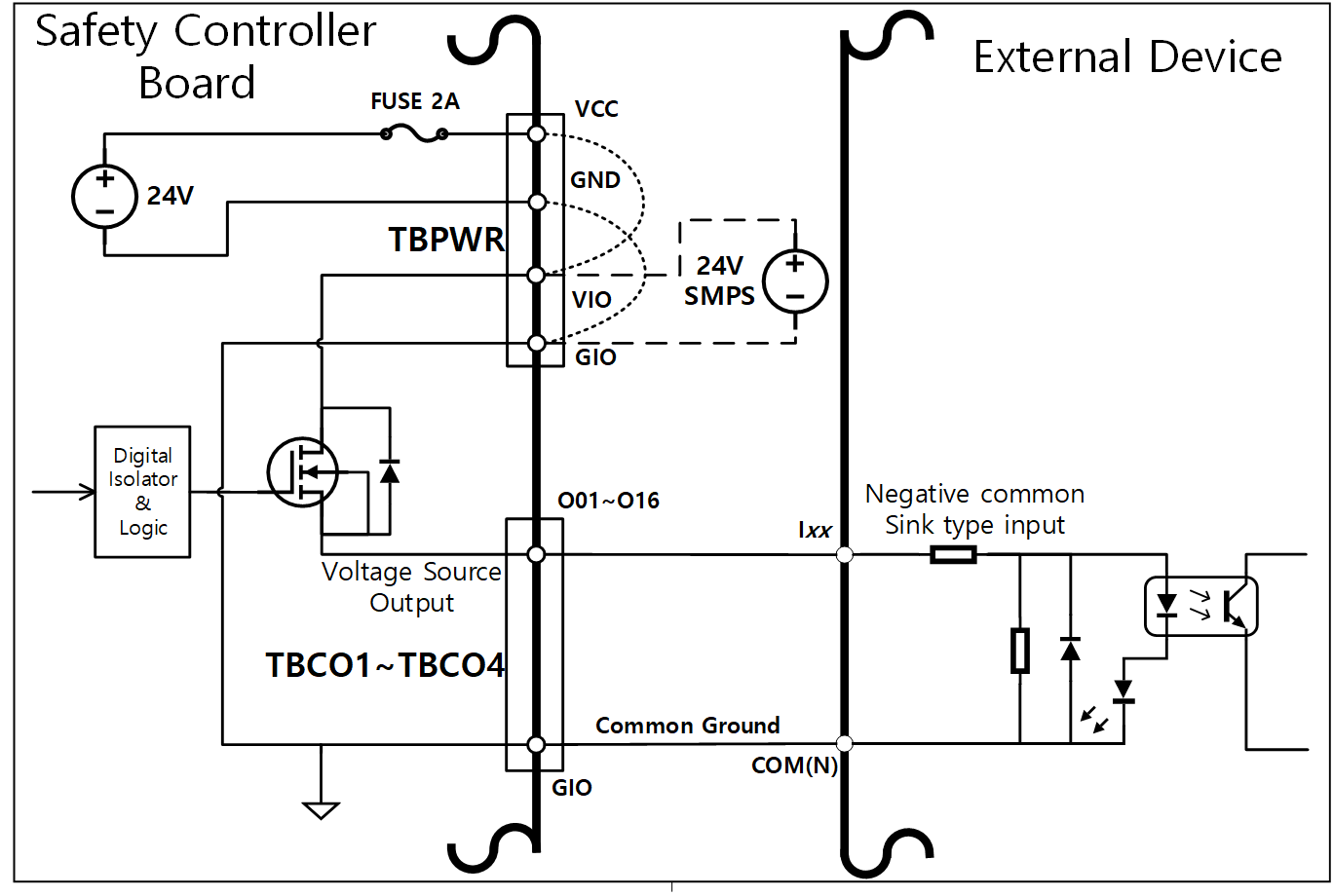
If a negative common & sink type input device is connected
If digital I/O output is connected to a sink type input device, connect the Oxx terminals of the TBCO1-TBCO4 terminal blocks to the input terminal of the external device, and connect the GIO to the negative common of the external device to establish a common ground.
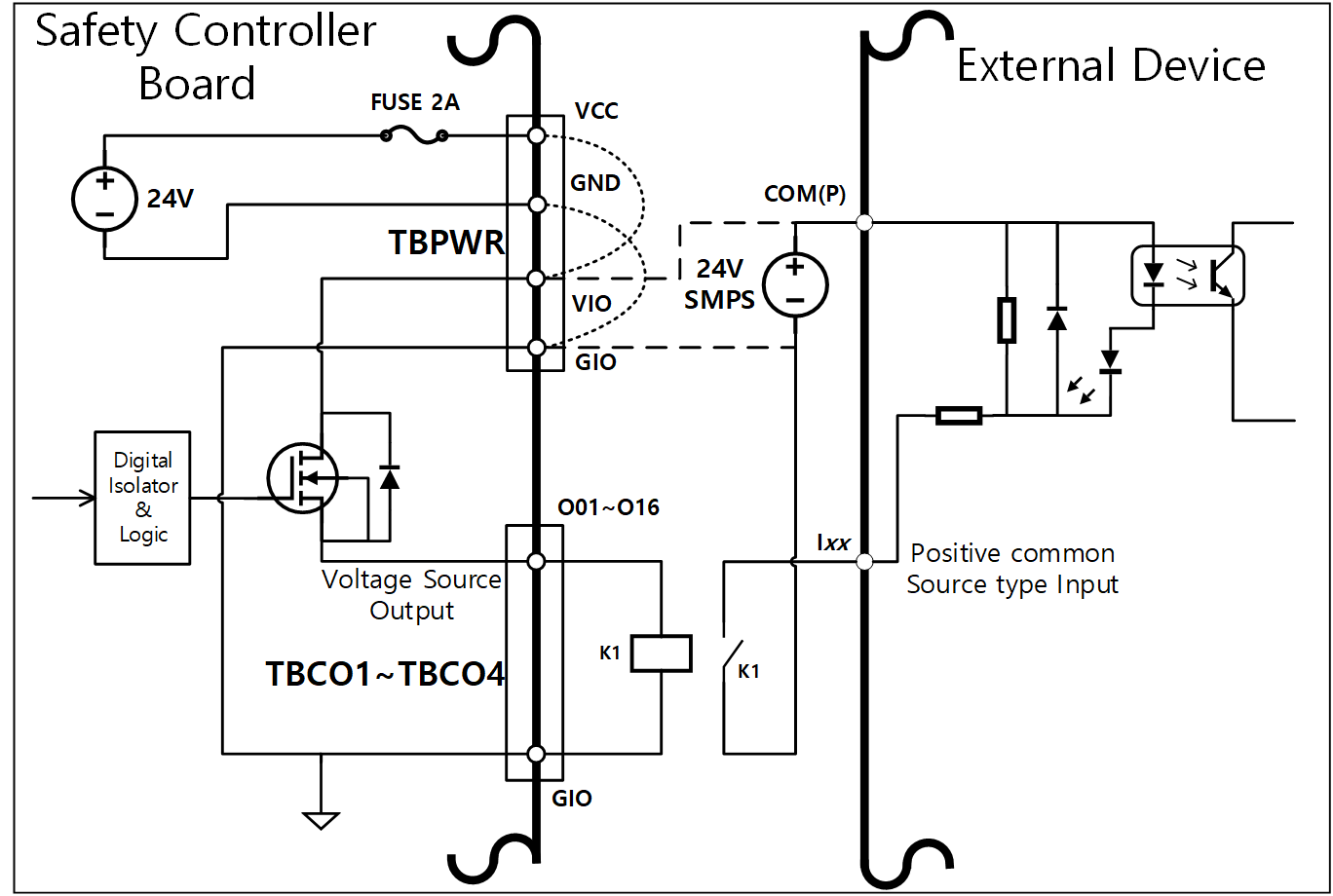
If a positive common & source type input device is connected
Connect a relay between the Oxx terminal of the TBCO1-TBCO4 terminal blocks and GIO terminal to supply input signals as contacts to the external device. If necessary, an external power supply can be connected to the external device.
Caution
-
General digital I/O devices can stop at any time due to controller power shortage, self-diagnosis error detection and work program setting. Therefore, perform risk assessment before setting up a robot workcell, and if additional risks such as workpiece falling, ignoring digital input or synchronization error due to incorrect recognition, make sure to implement additional safety measures.
-
The general digital I/O is a single connection type I/O and any short circuits or breakdown can result in the loss of safety functions, so it cannot be used for safety purposes. If connection of safety devices or safety related I/O is required, make sure to set the corresponding terminal to dual safety I/O on the teach pendant.
If the configurable digital I/O is used as a safety I/O
Two neighboring I/O terminals, such as O01 & O02, … , O15 & O16, I01 & I02, ... I15 & I16, can use identical safety signals to form a dual safety I/O.
While the Safety Contact Output Terminal (TBSFT) can only be connected with contact type (Dry Contact) signals, input set as safety I/O can connect with both contact type (Dry Contact) and voltage type (Wet Contact) signals Output set as safety I/O outputs voltage signals, but it can also output contact type signals by adding an external relay.
The following is an example of connecting a safety device for operation.
-
Connect a contact type (Dry Contact) signal emergency switch as a safety input terminal
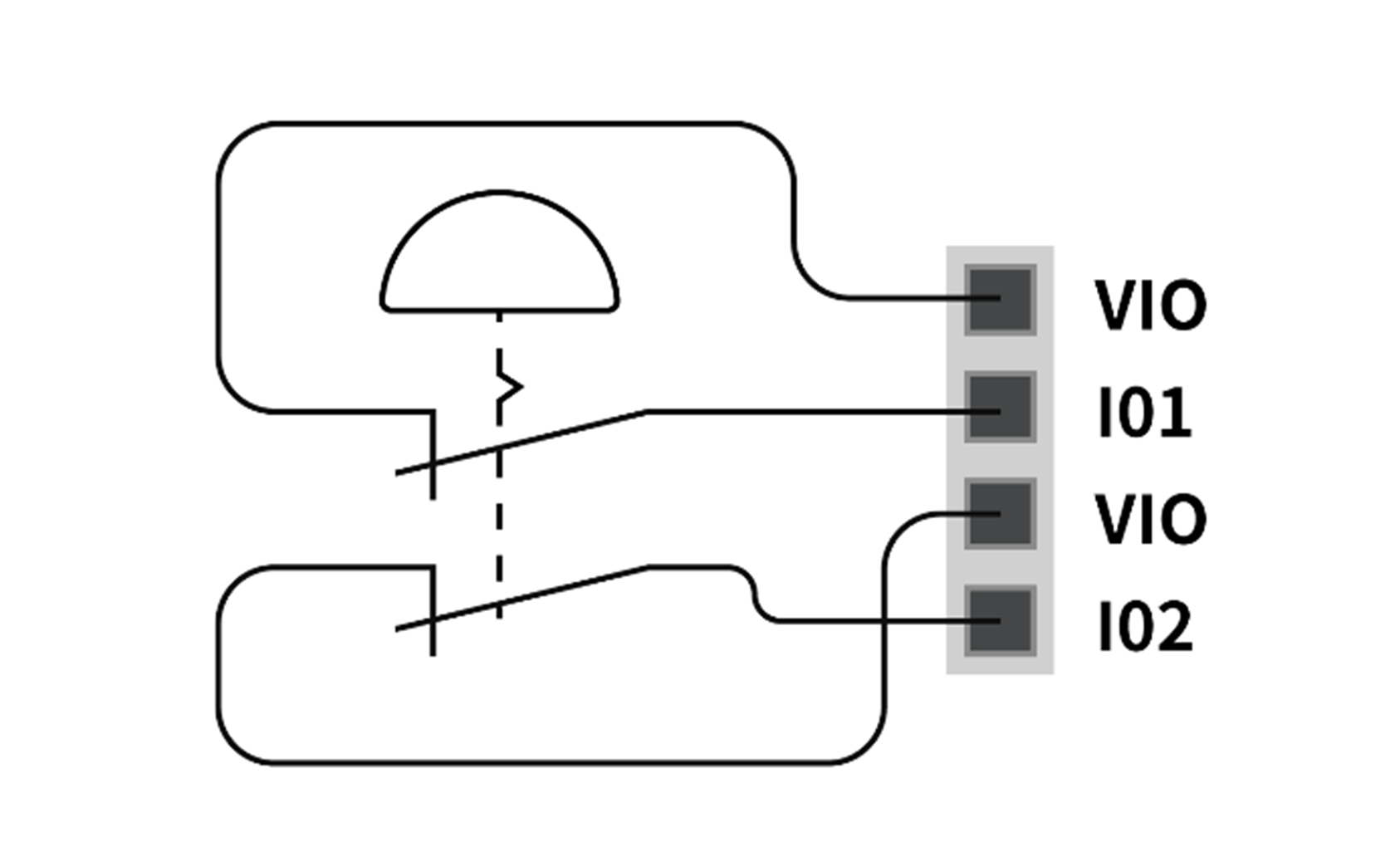
-
Connect a voltage type (Wet Contact) signal light curtain as a safety input terminal (common ground)