Mandatory Workcell Item Action/ User Defined Workcell Item Action
-
When changing data to System Variable within DRL Code, The behavior of WCI or SKILL using the same System Variable may not work properly. Please indicate the precautions and the details of the System Variable being used in DRL Code.
-
When writing Workcell Item Writer or Skill Writer items, please use UI Component > Text Edit Component for notices.
-
In case of using System Variable in DRL Code, it is necessary to register System Variable first in Teach pendant.
|
Item |
Description |
|---|---|
|
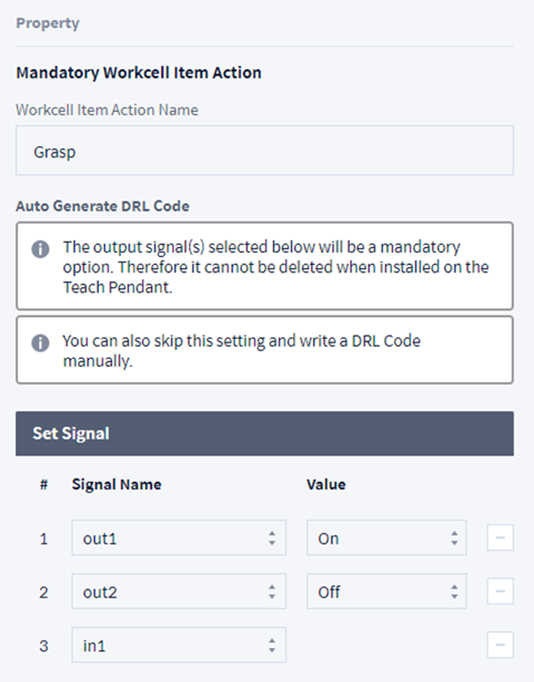
Workcell Item Action Name |
Assign the name of Workcell Item Action to add. It is not possible to edit the name of the Mandatory Action if already assigned But you can write the User Defined Workcell Item Action. The name of Mandatory Action varies depending on the category of the workcell item.
|
|
Set Signal |
You can select the added signal and set the value of the selected signal. The signal set here will be used when writing DRL. |
|
Add New Output Signal |
Add a signal. |
|
Generate DRL Code |
It creates basic DRL function by combining the signal set from the set signal. |
|
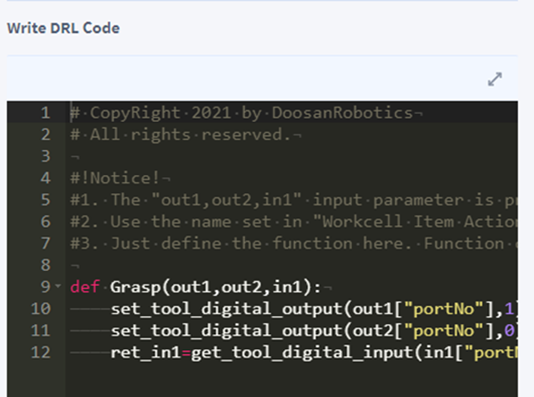
Write DRL Code |
Edit the DRL Code. |
|
Syntax Check |
Check the syntax of the DRL Code. |
Global Variable
|
Item |
Description |
|---|---|
|
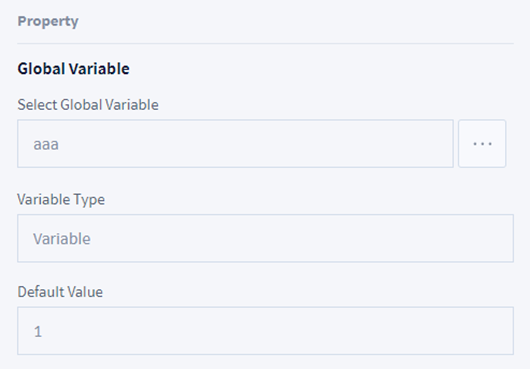
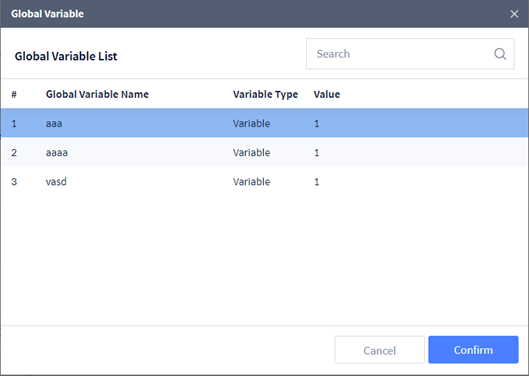
Select Global Variable |
Select the Variable registered from the Global Variable menu. The following screen is displayed when clicking the search button.
|
|
Variable Type |
It displays the type of the global variable selected. |
|
Default Value |
It displays the value of the global value selected. |
Global Function
|
Item |
Description |
|---|---|
|
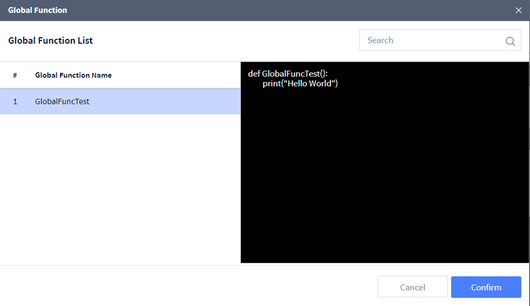
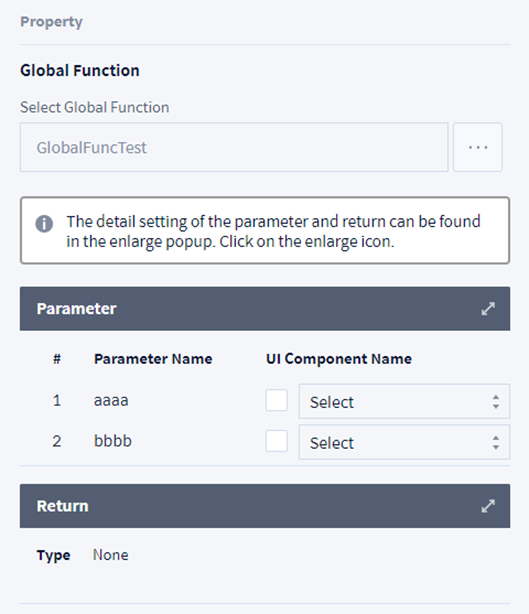
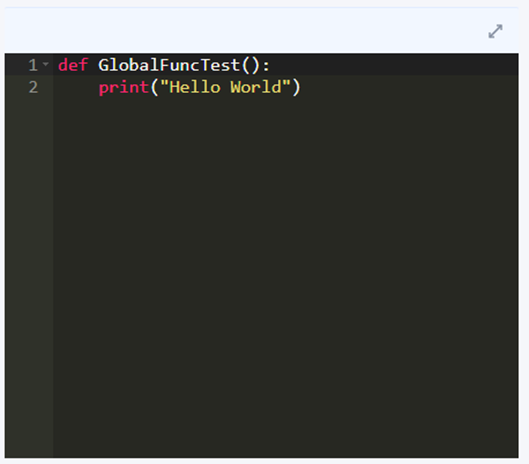
Select Global Function |
Select the Function registered from the Global Function menu. The following screen is displayed when clicking the search button. |
|
Parameter |
It displays the input parameter of the global function selected and connects the input parameter and the UI component. |
|
Return: |
It displays the return type of the global function selected. |